User
https://simulacrum.astral-labs.work/
Upload your exe or elf, and wait for the results.
Admin
Architecture
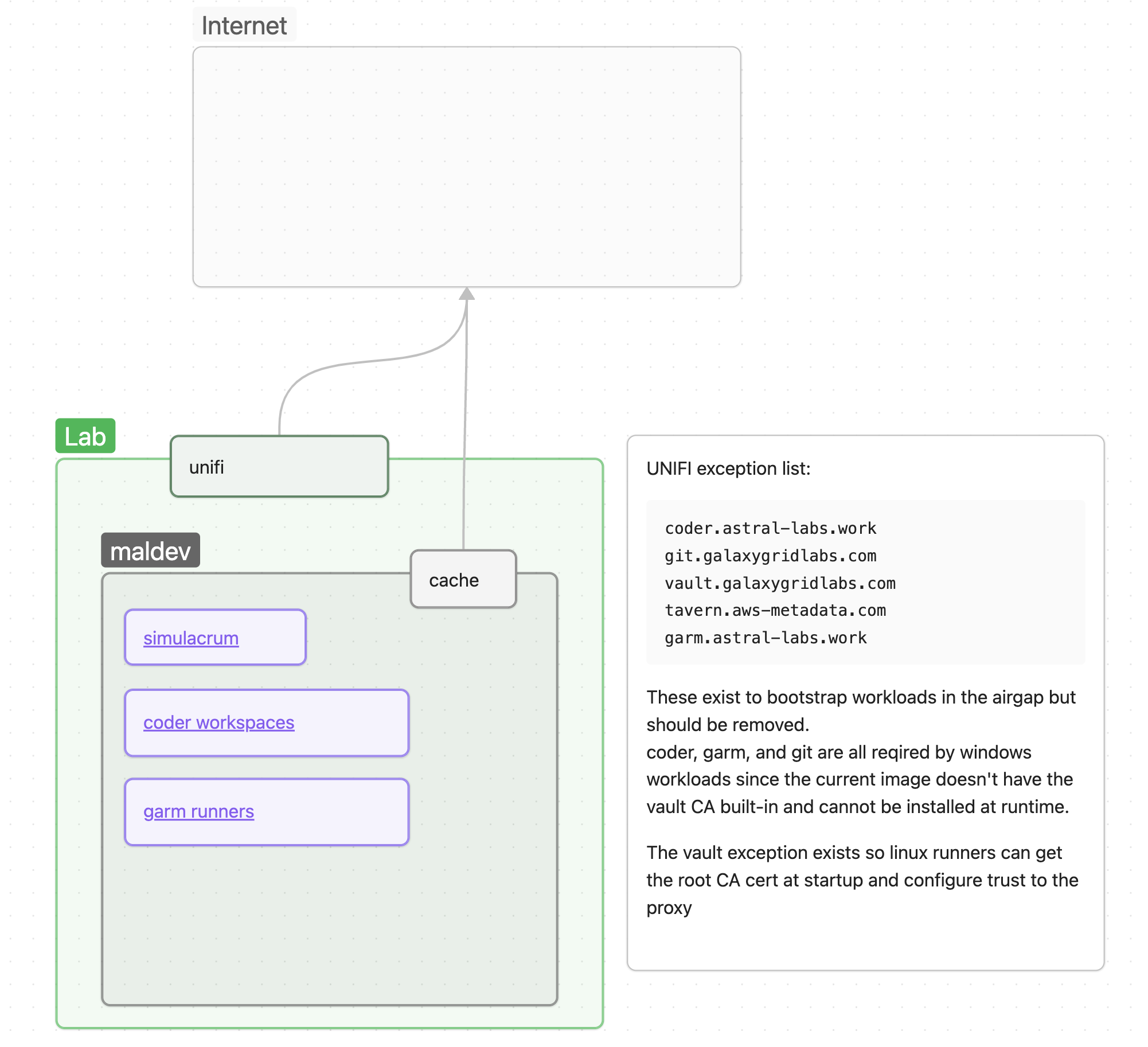
Adding new workflows
Workflows are defined as github actions which the gitea runner picks up and executes.
Once a file is uploaded to simulacrum it’s then added to gitea through a pull request in the spellshift/malware-eval repo. The file is placed in a predefined location so each worker can easily reference it for the actions.
Deleting a sample will delete the results from simulacrum’s DB as well as the gitea pull requset.
Output is captured via simple text files and then parsed by simulacrum to determine if something was detected. This is done in a naive and brittle way and should be updated.
Airgap Gotchas!
use:actions - non-dockeruseactions are blocked.- Since
useactions perform agit cloneoperation to pull down the action source before executing andgithub.comis intentionally blocked gitea has been configured to search it’s own org and repos fro actions. - This means that actions need to be publicly mirrored to gitea before they can be used inside runners. To do this:
- Create or find the org duplicated in gitea. Eg.
github.com/docker/login-actionwould be thedockerorg in gitea: https://git.galaxygridlabs.com/docker - Create a new migration in that org for the repo
https://github.com/docker/login-action.git - Make sure both the org and repo are public (navigate to it in a private browser.)
- Create or find the org duplicated in gitea. Eg.
- Since
- Package caches must use pull through cache
.proxy.internal.galaxygridlabs.com- The package cache supports a number of package registries but each must be configured individually. The existing workflows have some examples but additional configuration may be required depending on the ecosystem.