Coder
Coder is a remote development environment platform. Users can login, create development environments, and use them through VSCode, SSH, Web Terminal, or VSCode web. Coder also supports coding agents through the agents tab. You can chat with agents and they will spin up workspaces as needed to accomplish tasks.
User Guide
How to Connect - Web
- Request access to the
labusers@hul.togroup from an admin - Navigate to https://coder.astral-labs.work/
- Login with
OpenID Connect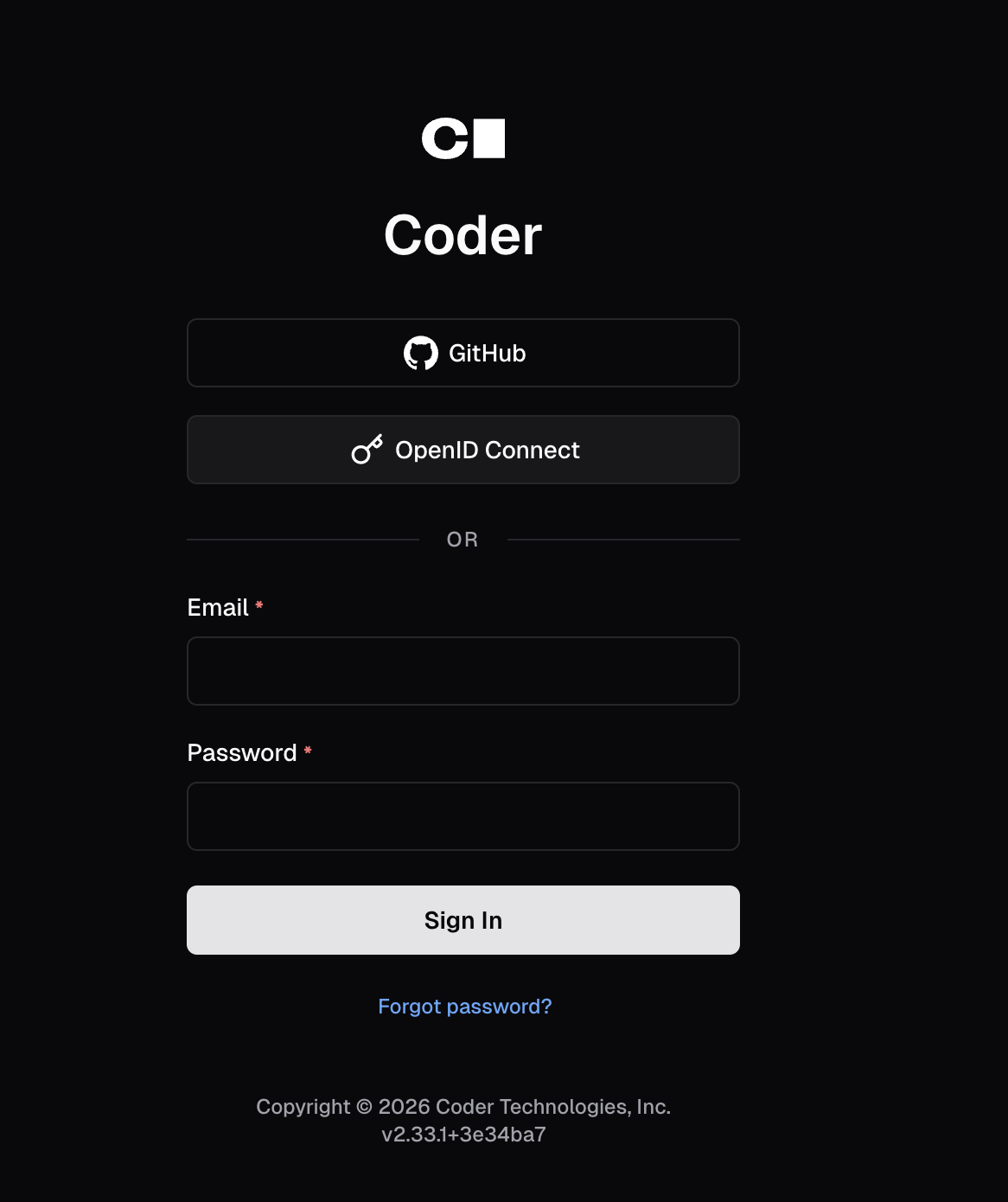
- Navigate to workspace > New Workspace
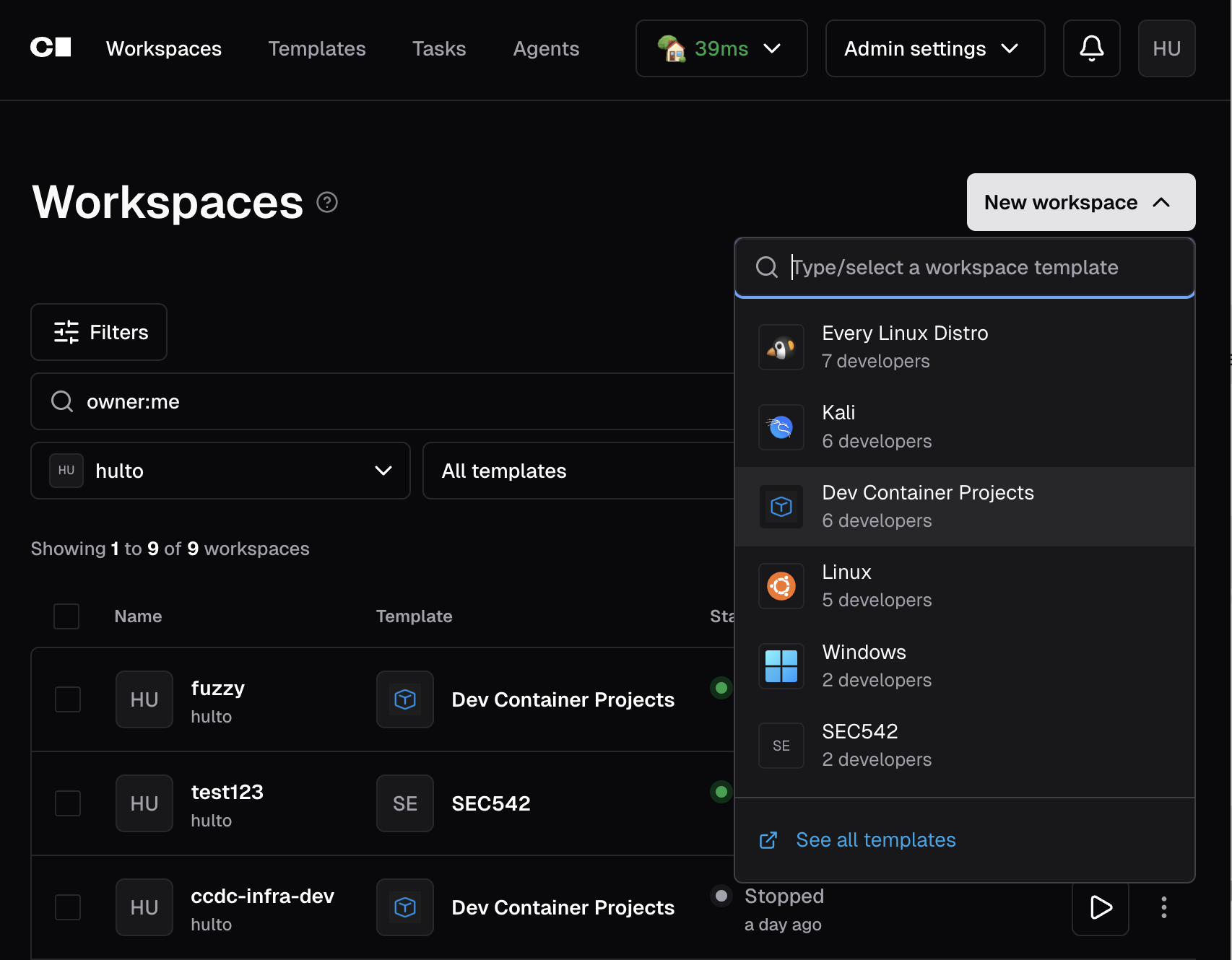
- Select the workspace you want to run - if unsure choose dev container projects.
- Set a name that’s all lowercase
[a-z0-9-] - Configure the workspace
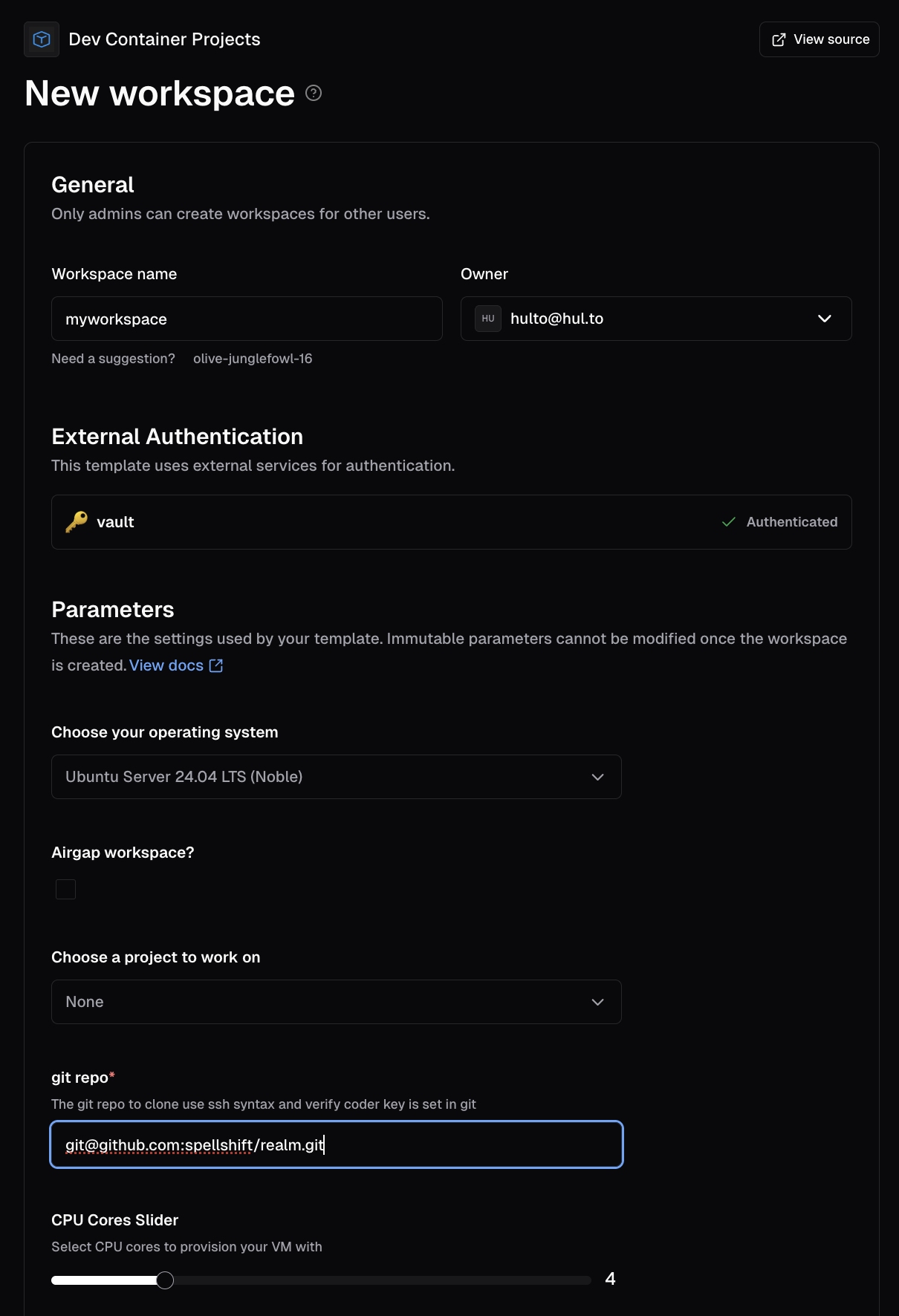
- Make sure vault is authenticated
- When choosing
noneyou can provide a git ssh url to clone and open. - Once your workspace starts you can
How to connect - SSH
- Install the cftoken.py script
- Setup
CODER_HEADER_COMMANDusecoder sshas normal
echo 'export CODER_HEADER_COMMAND=~/.local/bin/cftoken.py' >> ~/.zshrc
coder ssh workspaces-name
Note 📝 - Workspaces created from the default template reach the Coder
server over the internal CODER_AGENT_URL (no Cloudflare Access token needed)
and use zsh + oh-my-zsh as the interactive shell. Inside a workspace just run
coder ssh <name>. The manual install steps above are for laptops.
How to connect - VSCode
- Install the cftoken.py script
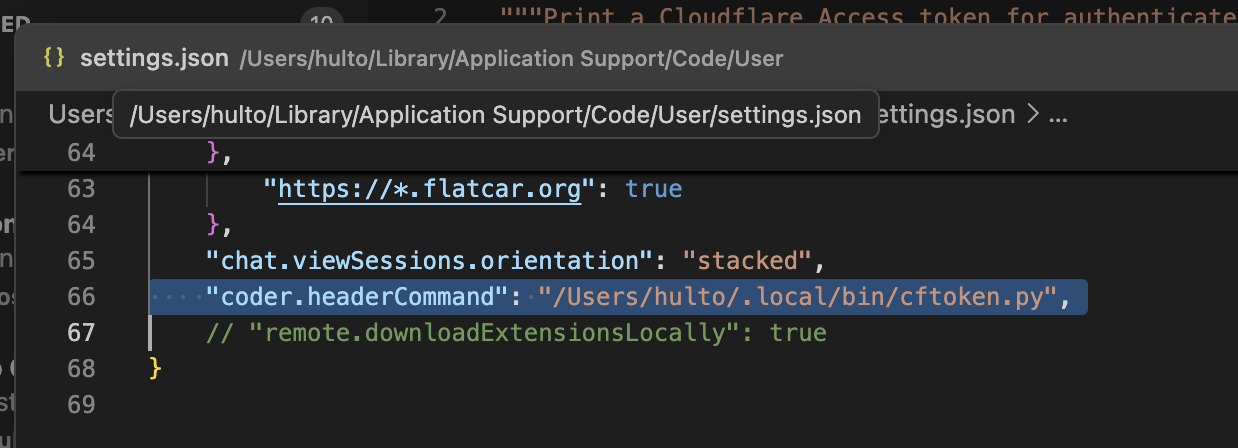
- Command + Shift +P > Open User Settings (JSON)
- Add the following line to the JSON
{
	//...
	"coder.headerCommand": "/Users/<username>/.local/bin/cftoken.py"
}
Note 📝 - You must update the path above and chmod +x ./cftoken.py. The script should open a browser to perform cloudflare auth for you when your token is expired.
How to Integrate Github
- Grab your coder pub key from the user settings: https://coder.astral-labs.work/settings/ssh-keys
- Navigate to github and add your key https://github.com/settings/keys
- Now coder workspaces can perform git actions using the
GIT_SSH_COMMAND
# Inside a dev VM
echo $GIT_SSH_COMMAND
/tmp/coder.LQfYlj/coder gitssh --

# Inside a devcontainer
echo $GIT_SSH_COMMAND
/.coder-agent/coder gitssh --
How to Integrate Gitea
- Grab your coder pub key from the user settings: https://coder.astral-labs.work/settings/ssh-keys
- Navigate to github and add your key https://git.galaxygridlabs.com/user/settings/keys
- Now coder workspaces can perform git actions using the
GIT_SSH_COMMAND
# Inside a dev VM
echo $GIT_SSH_COMMAND
/tmp/coder.LQfYlj/coder gitssh --

# Inside a devcontainer
echo $GIT_SSH_COMMAND
/.coder-agent/coder gitssh --
How to Integrate Vault
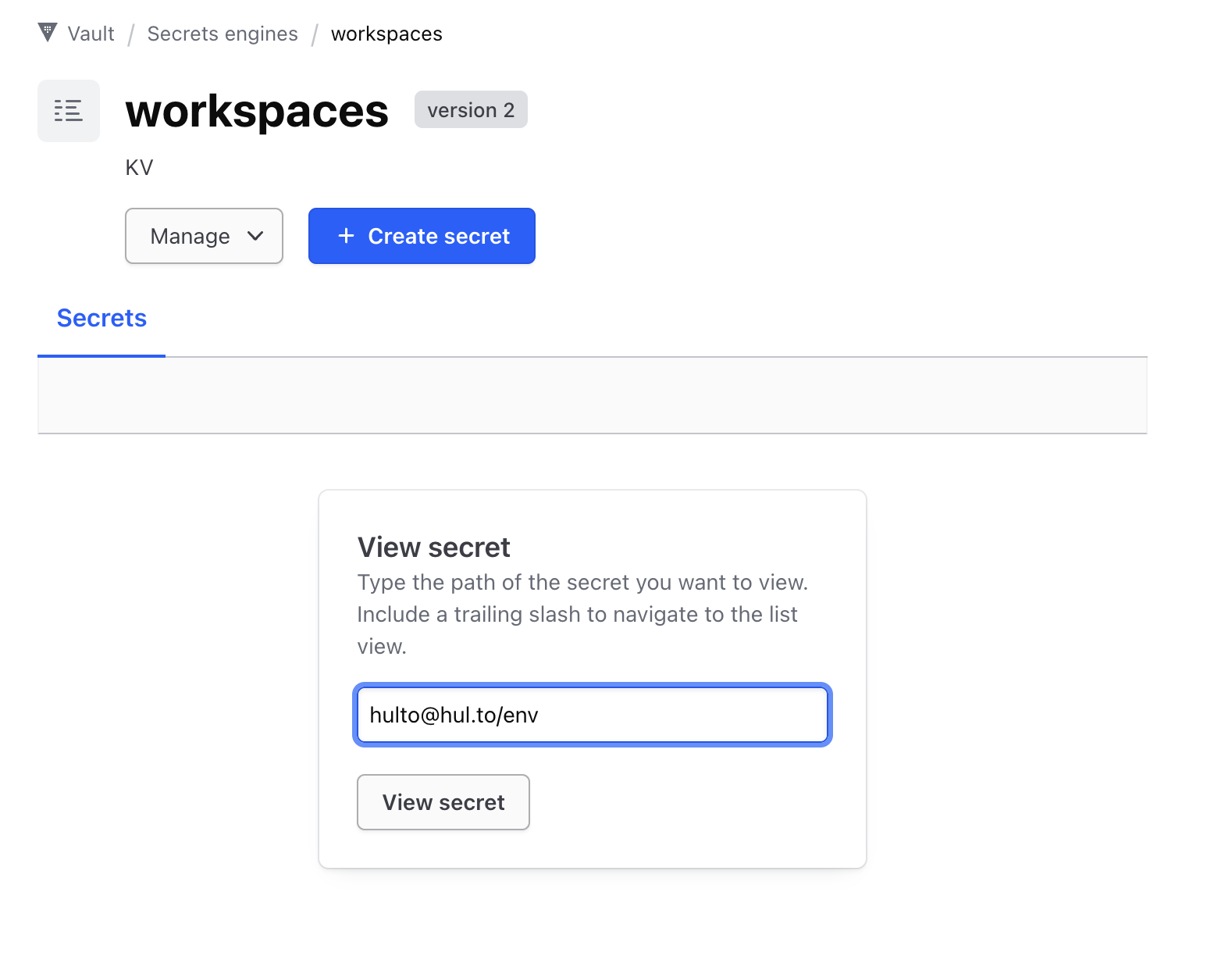
- Navigate to
- Navigate: Secrets > workspaces > Create Secret >
<username>@hul.to- key:
env - value:
- key:
# claude setup-token - Valid 1 year
CLAUDE_CODE_OAUTH_TOKEN=sk-ant-....
# gitea > settings > applications > generate new token
# repository read & write, package read & write
GITEA_TOKEN=....
Note: If it already exists and you need to update: use the view secret dialog.
Admin Guide
Vault external auth
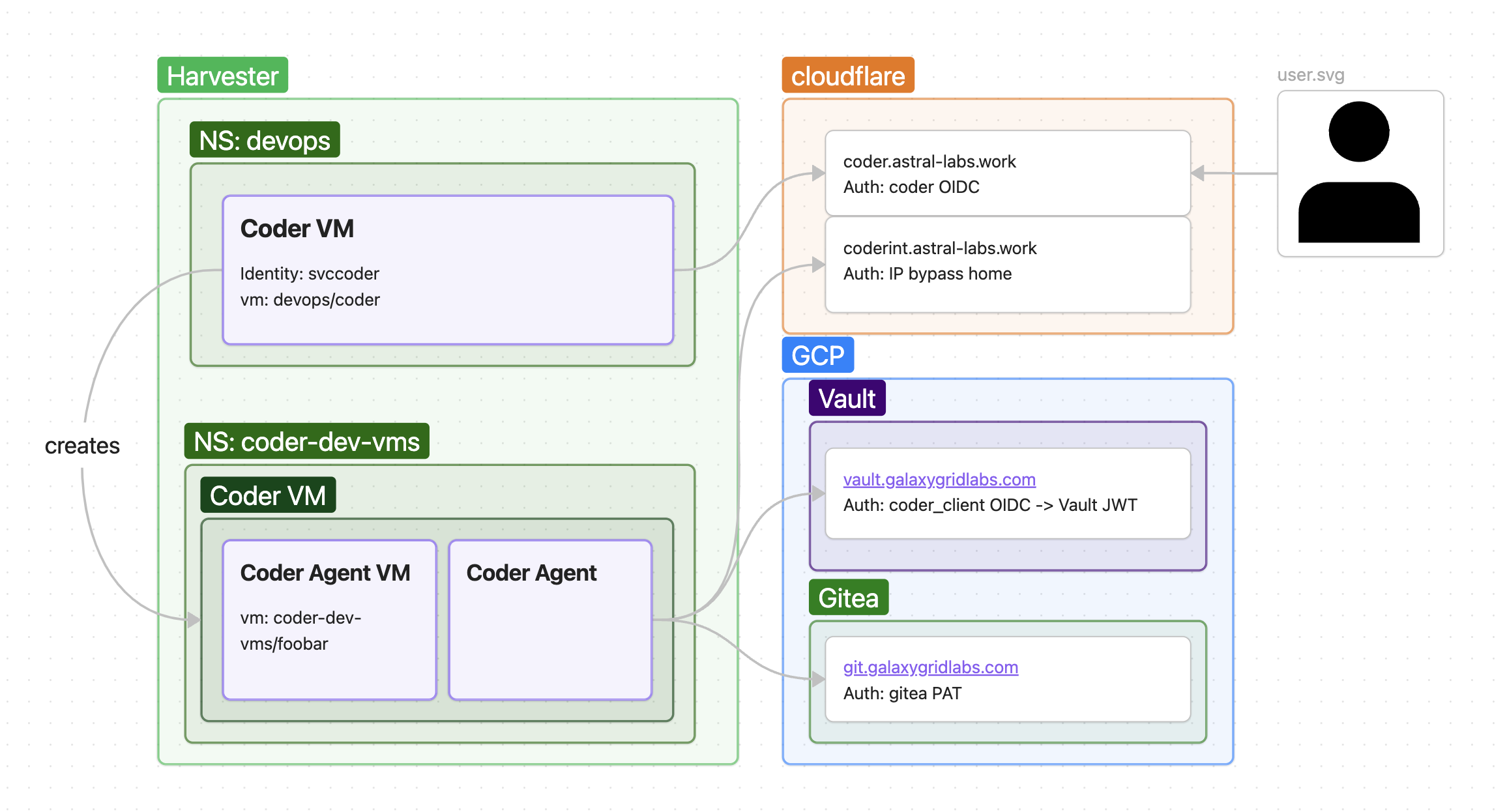
In order to connect Coder workspaces to other services we use Coder’s External Auth feature connected to Vault.
This exposes an OIDC provider JWT from the coder_client provider in vault. This token doesn’t allow the workspace to authenticate directly instead we need to use the JWT authentication method that’s been configured to trust the coder_client OIDC endpoint.
To facilitate this exchange OIDC Provider → JWT we use a short bash script in the coder agent startup called /etc/gen-coder-secrets.sh this script uses the coder external auth .token_extra.id_token token performs a vault JWT auth and then writes the contents of the Vault KV workspaces/<username>@hul.to/env to /etc/custom-env.d/workspace_secrets.env.
This KV is set in vault an example script can be found here
Note: While your user (logged in via OIDC auth method) and the workspace user (logged in via JWT auth method) share a name for example hulto@hul.to they are distinct entities in Vault and may not share the same permissions. Both are set the be able to read and write to workspaces/<username>@hul.to/env but other APIs may not have permissions.
Cloudflare tunnels
Cloudflare tunnels use the astral-labs.work domain to expose internal services publicly.
Whenever possible these tunnels are protected by Cloudflare Access which uses Vault OIDC.
While the main user flow for coder is protected by cloudflare access using browser OIDC or the cftoken.py script and coder header command. Not every stage of the workspace setup supports cloudflare service auth in order to get around this there’s a blanket bypass rule for connections coming from the lab. But in order for this to work with Cloudflare ACLs the internal and external connections needed to be split into two separate apps and therefore domains.
Coder templates
Coder templates define how workspaces should be built.
To create a new template or modify an existing one you must have the template admin permission or above.
Explore the coder docs before continuing. https://coder.com/docs/admin/templates/creating-templates
Base images must have cloud init installed and prep’d this can be done with:
cloud-init clean --logs --machine-idNote: The default template is now pod-based, not VM-based. It provisions a
Kubernetes pod on smoll-harvester (namespace coder-workspaces, no kubeconfig
identity — the pod runs as the namespace default ServiceAccount). The
project_select parameter maps straight to the pod’s container image, so the
pod is the project’s devcontainer (Realm/Realm Private use
default-workspace-realm, built from spellshift/devcontainer:main;
Simulacrum/None use the ubuntu-based default-workspace image). Images are
built by .github/workflows/default-workspace.yml; see the README comment at
the top of src/2_app/services/coder/coder_templates/default/main.tf.